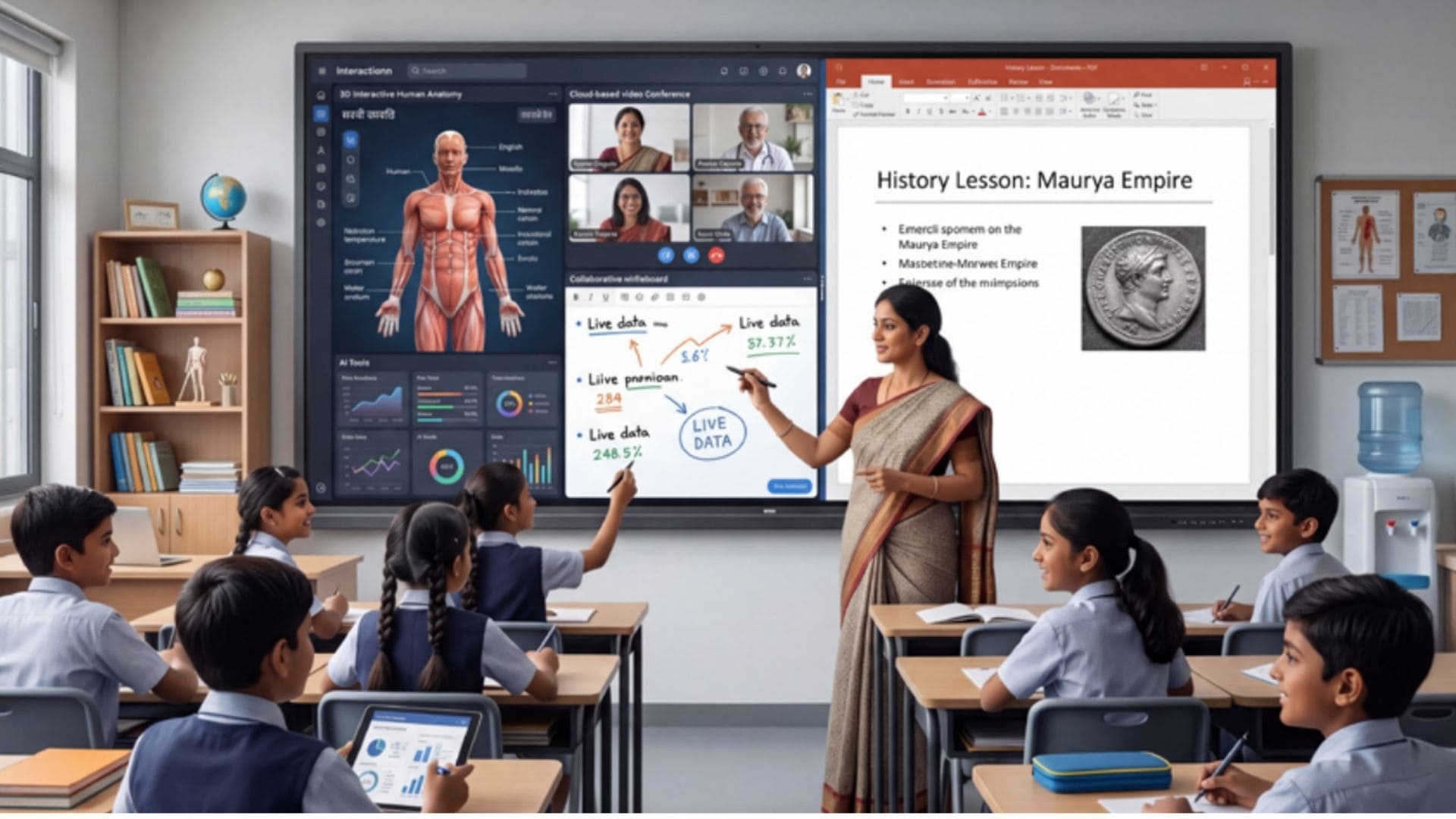
The global education sector is experiencing a major shift due to digital advancements. Traditional blackboards are rapidly being replaced by Interactive Flat Panels (IFPs), also known as smart boards. Thanks to forward-thinking national policies and a global push to adopt Information and Communication Technology (ICT), schools, from elite international institutions to under-resourced public schools, are investing heavily in these large displays. Marketing from hardware suppliers often claims that these tools will transform classroom learning: making it more vibrant, interactive, teacher-friendly, and engaging for students.
However, beneath the sleek glass and multi-touch features, a clear operational challenge emerges. Studies from top educational bodies show a notable disconnect between the potential of IFPs and their actual everyday use. For many teachers, these expensive devices have merely become complex, high-maintenance chalkboards.
To bridge this gap, the AV industry needs to focus less on technical specs and more on understanding the pedagogical, spatial, and software needs specific to each educational environment.
The reality of adoption: Potential vs. Practice
Research across educational ICT consistently shows that teachers use less than 20% of an IFP’s advanced features. Although classroom infrastructure has evolved, instructional methods have largely remained unchanged. Typically, the panel serves only as a display surface for text heavy PDFs, standard slides, or streamed videos. Its potential for dynamic cloud collaboration, multi-student split-screen interaction, real-time assessments, and subject-specific simulations remains untapped.
Industry research highlights multiple structural barriers causing this persistent underuse:
The time crunch – Teachers face a packed, exam-focused schedule with little downtime. Navigating complex software, multi-step logins, or slow startups eats valuable teaching moments, discouraging experimentation with advanced features.
Content gaps – While hardware is often bought in bulk, it’s seldom accompanied by localized, curriculum-aligned digital materials. Teachers forced to create or adapt resources during off-hours face an unsustainable workload. Without native content integration, the hardware’s utility diminishes.
Confidence issues – A lack of ongoing professional development fuels technology anxiety among teachers. Facing large classes, educators tend to stick with traditional methods rather than risk technical problems or interface issues during lessons.
Technical archetypes: analysing current display architecture
To understand why this operational disconnect occurs, it is essential to analyze the structural design, feature sets, and functional limitations of the prominent IFP technical archetypes deployed across institutional frameworks today. Considering the architectural focus:
Enterprise & Ecosystem-Centric – Strengths include advanced eye care, native cloud integrations, and secure user-profile switching, but high costs, technology maturity, and network stability pose operational challenges.
High-Luminance Optical Engineering – Offers high brightness, color rendering, and good legibility, but interfaces favor corporate settings over K-12 workflows, creating vulnerabilities.
Sensor & Algorithmic Innovation – Features AI sensory tracking, precise touch, and advanced whiteboarding, but has a steep learning curve, and hardware requires precise lighting and frequent calibration.
Localized Platform-Driven – Integrates LMS, workflows, and curriculum tools, yet hardware durability in tough environments remains unproven.
Value-Engineered All-in-One – Cost-effective with integrated computing, audio, and display; however, lower-tier processors cause UI lag under heavy use.
Premium Platform-Agnostic – Provides low-latency collaboration and a durable build, but pricing restricts deployment to elite institutions. Ruggedized High-Volume – Offers competitive pricing and a durable chassis, but proprietary software and slow updates limit features.
Enterprise, ecosystem, and optical archetypes
Ecosystem-centric designs focus on student and teacher health with features like anti-germ coatings and low-blue-light filters. Recent versions have enterprise OS certifications, allowing access to cloud workspaces. However, data show these complex ecosystems are pedagogically effective mainly on highly digital campuses with strong IT. High-luminance 4K displays handle classroom sunlight well, but their interfaces often look corporate and lack intuitive K-12 workflows.
Sensor-intensive vs. Localized platform archetypes
Sensor-rich designs utilize advanced visual touch-tracking and interactive algorithms. While innovative for precise math plotting and scientific graphing, they present a steep learning curve and need detailed initial calibration, which can frustrate non-technical staff when classroom setups change. In contrast, localized platform-based systems connect the physical panel directly to comprehensive, native Learning Management Systems (LMS). By incorporating automated tools tailored to national curricula, such as digital attendance, parent notifications, and auto quiz-building, they help alleviate teachers’ time pressures. Nonetheless, because these systems emphasize software flexibility, their hardware manufacturing quality and durability in diverse, unconditioned environments are essential considerations.
Value-engineered and ruggedized mass-market archetypes
Value-engineered all-in-one panels lead high-volume, budget-conscious institutional procurements thanks to their competitive pricing and sleek designs. Nonetheless, field studies show that lower-tier models often experience user-interface lag, processing delays, and thermal throttling during demanding, multi-touch educational activities. At the top end, premium platform-agnostic displays deliver ultra-responsive, low-latency touch experiences, making them ideal for postgraduate lecture halls. However, their high cost prevents widespread adoption in K-12 public schools. This gap is typically filled by rugged, high-capacity models offering physical durability and extensive local service networks, though they usually come with very basic proprietary whiteboarding software that functions mainly as a digital chalkboard.
Critical blind spots in current smart classroom design
Although technical sheets highlight features like up to 40 simultaneous touches, powerful processors, and large RAM capacities, the current generation of IFPs faces significant design issues when used in real-world educational settings.
1. Misalignment with curricular standards
Most international panels come with generic, global interactive platforms that lack integration with regional or national curricula. Teachers
cannot easily access structured, chapter-specific 3D models or localized interactive diagrams directly from the device’s interface. Instead, they have to switch away from the primary app to use web browsers or external storage, disrupting the lesson flow and dividing student attention.
2. Environmental and electrical challenges
Schools outside major urban areas often deal with dust, high humidity, and unstable electrical power. Many commercial panels do not have adequate dust protection (IP ratings suitable for tough environments) or built-in surge protection. When internal components fail due to power issues or dust accumulation in optical or infrared touch frames, the entire classroom loses its main teaching tool. Extended support delays in regional networks make the problem worse.
3. Lack of usage data for administrators
From a management perspective, schools spend considerable funds on IFPs without clear insight into their return on investment. Current systems lack centralized dashboards that provide detailed, automated usage analytics. School leaders cannot see how many hours the panels are used weekly, which apps are launched, or if the devices are used for interactive learning or just as expensive displays. This data gap prevents tailored teacher training and improvement efforts.
The next evolution: The unified collaboration hub
As global education shifts toward hybrid and flexible learning models, the future of the interactive flat panel should no longer be limited to a standalone classroom display. Instead, smart boards must evolve into versatile, multi-directional collaboration centers. Hardware should include built-in, high-quality features like wide-angle, AI-powered tracking cameras and microphone arrays with smart acoustic fencing—no longer optional extras. These tools should be standard, ensuring remote students have the same seamless experience, viewing clear annotations and peer interactions in real time without lag or glare issues. Additionally, cloud synchronization must be effortless and fully automated. Teachers should quickly authenticate via QR code or biometric login, conduct interactive lessons with AI-generated transcripts and quizzes, and have everything automatically synced with the LMS and shared to students’ devices without disruption.
Conclusion
Ultimately, technology is successful when it becomes seamless. To fully realize the potential of interactive flat panels, manufacturers and AV integrators should move beyond just promoting hardware specs. Instead, the industry needs to develop complete, durable, and highly localized software ecosystems that ease the daily workload of educators.