Established by the Chitkara Educational Trust (CET) in 2002, Chitkara University is among the most respected private institutions in North India, renowned for its multidisciplinary, industry-aligned programs that prepare students for the modern workforce. The group operates multiple campuses across the Tricity region, including Mohali, Panchkula, and Chandigarh, as well as a university campus in Baddi, Himachal Pradesh.
Facing challenges with their earlier AV setup, the Chitkara group chose Pro Solution Inc. to upgrade and deploy AV-over-IP solutions across key learning spaces in their main Rajpura, Punjab campus, as well as in other institutes within the region. Manmeet Singh and GP Singh, Managing Directors at Pro Solution Inc., share how their association began: “It was about three years ago that we began working with their Technology Procurement Department for an auditorium they were setting up in their new school in Panchkula, and there has been no looking back since.”
Bridging the gap between design and real-world application
Previously, the client had AV systems installed in several older auditoriums across their campuses, but the experience was far from ideal. They faced ongoing service issues and fundamental design limitations, as Manmeet explains. He points out that sound is often subjective. “Every region has its own taste in sound. If a consultant from Bangalore or Mumbai designs a solution for an institute in Punjab, they may not fully understand the cultural context or how the space is actually utilized. There will always be a gap. For example, we Punjabis love our Bhangra and loud, energetic music, which plays a significant role in the events and celebrations held in these auditoriums.”
To better understand the pain points and craft a tailored solution, Manmeet’s team invited the entire decision-making group, including Chitkara’s chief architect and the technology procurement department, for a live demonstration in their in-house auditorium demo room in Mohali. “We asked the client to share the challenges they faced with their previous auditorium AV setups and we also highlighted the issues we had observed. All key Original Equipment Manufacturers (OEMs) were invited. After the demonstration, I introduced each OEM to the client one by one, allowing the client to hear about their individual products directly. Bringing everyone together in one place made the decision process easier for the client, and that’s how we won the project.”
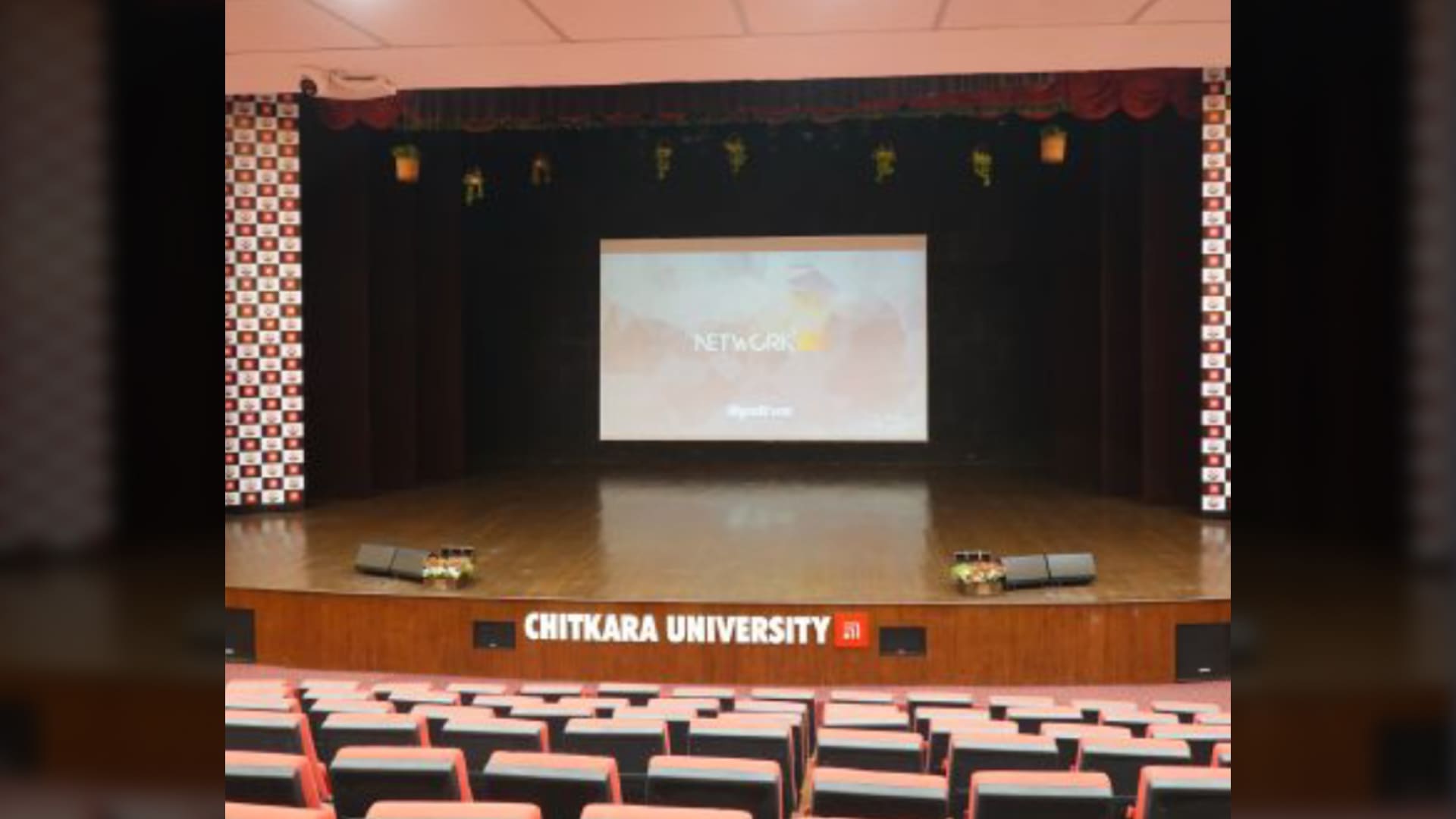
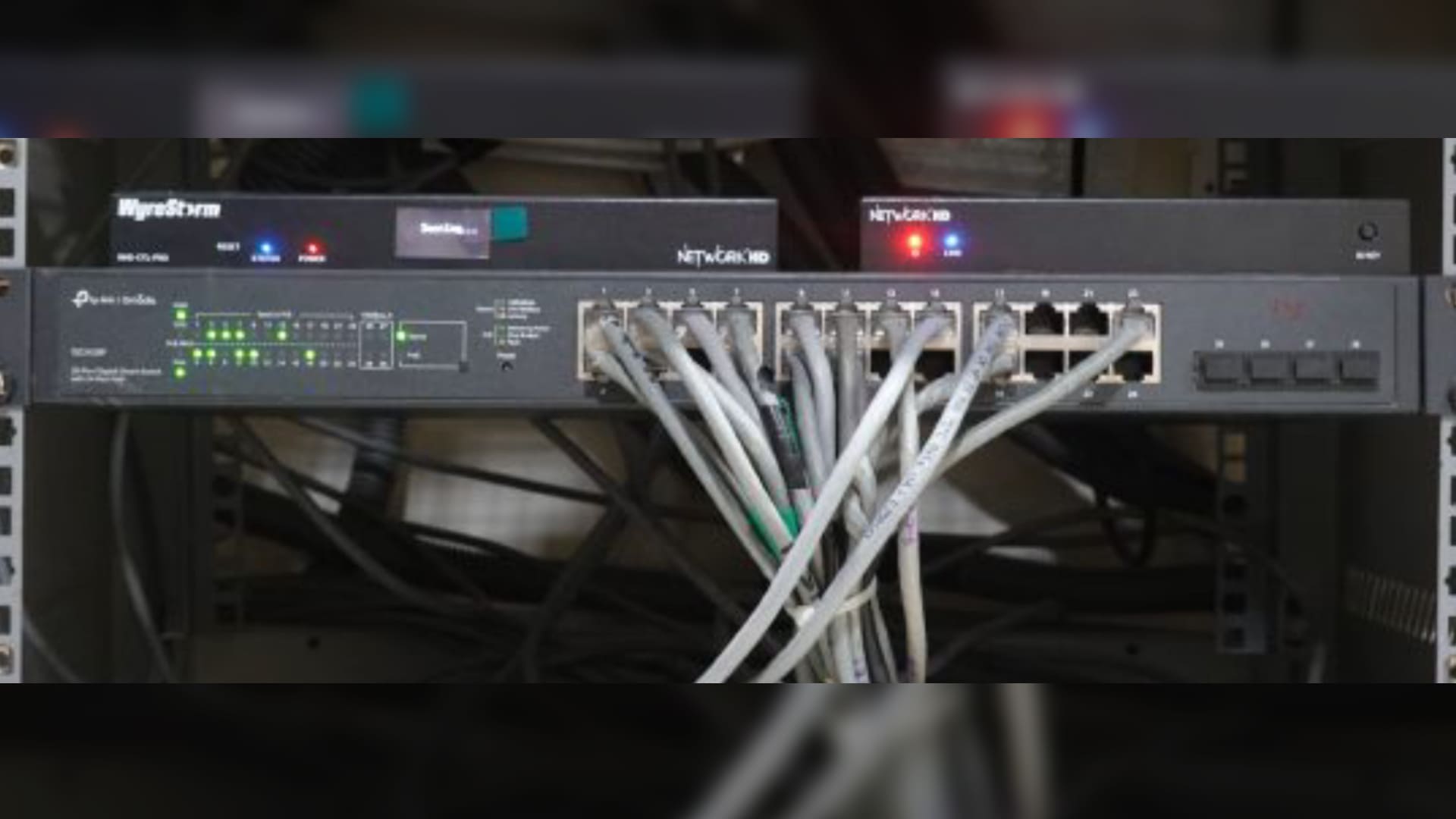
The project included upgrading two auditoriums. The first was a 300-seater auditorium in the Rajpura campus, equipped with eight WyreStormNHD-120-TX encoders, twelve NHD-120-RX decoders, four NHD-120-IW-TX In-Wall Encoders, an NHD-CTL-PRO-V2 Pro Controller, and a Netgear switch. The second was a 500-seater auditorium in the University’s Baddi campus in Himachal Pradesh, fitted with four WyreStormNHD-120-TX encoders, eight NHD-120-RX decoders, nine NHD-120-IW-TX In-Wall Encoders, an NHD-CTL-PRO-V2 Pro Controller, and a Netgear switch.
These upgrades not only resolved long-standing issues the client had been experiencing but also established a unified AV standard across their campuses, creating a scalable and reliable ecosystem for the university to build on for future expansion.
Seamless connectivity for large-capacity classrooms
GP Singh, who oversees the technical aspects of projects at Pro Solution Inc., describes the AV-over-IP solutions implemented across nine large, mini-auditorium–style classrooms at the Rajpura campus. Each hall is equipped with four WyreStorm SW-130-TX-UK in-wall HDBaseT switchers, four RX-500 HDBaseT 2.0 receivers, and four CAM-210-PTZ cameras. “These halls resemble mini-auditoriums, seating between 150 and 200 people, and feature high-capacity projectors along with a quality sound system. They are regularly used by various departments for seminars, guest lectures, and online sessions with international faculty,” he explains.
Speaking about the WyreStorm SW-130-TX-UK wall plates, he says: “These can be connected via USB-C. Once you plug in your laptop, the wall plate links directly to the switcher and the PTZ camera. We typically provide at least two wall plates, one on each side of the room, allowing two presenters to display on two screens simultaneously. In some rooms, there are even three screens, especially where collapsible partitions allow two classrooms to be merged into a larger space.” The number of in-wall HD switchers varies depending on departmental needs, but the capacity is four in most halls. “The University’s technology team takes inputs from each department on the requirements to understand the exact functionality required,” he notes.
When discussing the choice of CAM-210-PTZ cameras for these halls, GP Singh explains, “WyreStorm’s NDI cameras are designed to adapt to varying network conditions. This means that if there is a dip in bandwidth, they automatically adjust the resolution to maintain a stable stream. They also support picture-in-picture without the need for additional hardware, offering flexibility in how classroom sessions are captured and displayed.”
Smart, flexible meeting spaces
The Rajpura campus includes three large meeting rooms used primarily by the University’s leadership team and visiting guests. Each room is equipped with a WyreStorm APO-VX20-UC Video Bar and Switcher, three APO-COM-MIC Add-On ceiling microphones, an SW-640L-TX-W presentation and conferencing system, and two APO-DG2-PRO dongles.
Manmeet explains the setup: “The VX20 is an intelligent video bar with an in-built camera, microphone, and speaker. It covers up to 20 feet on its own, and when paired with a ceiling microphone, coverage touches about 35 feet. And you can also cascade up to three microphones for even greater reach.”
GP Singh highlights that the SW-640L-TX-W presentation switcher used in these rooms is an award-winning WyreStorm solution. “This is a four-input, two-output switcher – two USB-C inputs and two HDMI inputs. So, with two video outputs, I can run dual displays at any time. Input-wise, with two USB-C and two HDMI inputs, we can place two cable cubbies in the room, and when a user connects via USB-C, they get full functionality: video conferencing (VC), high-speed data sharing, and simultaneous laptop charging,” he notes, adding that the switcher also acts as a hub, allowing the camera, room PC, or even two dongles to be connected to it, all at once, providing a highly flexible presentation setup.
Next, GP Singh elaborates on the WyreStorm APO-DG2-PRO dongles, emphasizing their capability for two-way communication. “It effectively makes the USB-C connection wireless. If I’m using a laptop connected via the dongle to the presentation switcher, I can run wireless VC using the room’s PTZ camera instead of their laptop camera. It offers a range of 30–35 feet and doesn’t require the laptop to be on the same network; it’s a direct, one-to-one connection with the dongle and the switcher.” He adds that another advantage is that it requires no additional software: It’s plug-and-play, works with iPhones, Android devices, and tablets. This, he points out, is useful for visiting lecturers who prefer not to connect to in-house systems. “If the room PC isn’t available or there’s a compatibility issue, the team can just hand them the dongle; Just plug it in, and they’re good to go. The client has really appreciated the convenience this device offers, and they use it selectively for high-priority sessions.”
The AV ecosystem also allows users to record and stream content through the WyreStorm SW-640L-TX-W presentation and conferencing system and the two APO-DG2-PRO dongles. “As I mentioned, the SW-640 provides two outputs. One of these outputs can be routed to the NHD-300-TX encoder. The NHD-300-TX connects to a laptop via a USB-C cable, and once the software is installed, I can record the entire session while also live-streaming directly to YouTube or any other supported channel or platform,” he explains.
When discussing the choice of WyreStorm AV-over-IP solutions for the Chitkara group’s projects, Manmeet explains that his team spent several months rigorously testing these products against their existing benchmark brand. After six months of in-house evaluation, they felt confident enough to recommend WyreStorm to their clients.
He states, “The pricing is also competitive, and the OEM invests heavily in research and development. Additionally, the five-year warranty provides clients with complete peace of mind: no extra spending, no stress. That assurance is a significant selling point.” Manmeet also highlights that service is an area where many brands struggle. “With WyreStorm, we haven’t faced that issue. Their responses are prompt, and over the last three years, product issues have been below 1%,” he notes.
Manmeet emphasizes that scalability is another crucial factor, as educational institutions often need to expand or upgrade their systems at some point. “With WyreStorm products, once their ecosystem is in place, adding future upgrades, like a touch panel to control cameras and switchers, is seamless. They recently launched a plug-and-play broadcasting and recording device that integrates directly with WyreStorm systems. So, if a client later decides they want lecture recording or live streaming, we can simply add that device and enable local recording or broadcasting on YouTube instantly,” he says, adding that sticking with a single brand ensures smooth upgrades over time and avoids compatibility issues.
Leading the curve
Pro Solution Inc.’s partnership with the Chitkara Group continues to evolve as the group expands and upgrades its AV-over-IP ecosystem, mirroring a broader trend in how both private and government institutions in the country are increasingly embracing modern classroom technology.
Manmeet points out that government institutions in the region are showing significant interest and are investing in high-quality VC and broadcasting infrastructure. However, the adoption rate in private universities remains relatively slow. He explains, “Most institutes do not have a dedicated technology procurement department like the Chitkara Group; instead, these decisions are managed by IT personnel who tend to be a bit hesitant about adopting new technologies. We try to make them feel comfortable by offering demonstrations of the latest solutions in our demo center.” Another factor is slower procurement cycles.
In this context, GP Singh also reflects on his experience working with the Chitkara Group. “The best part is that their procurement cycle is very short. The technology procurement department is led by Dr. Pawan Kumar from Chitkara, who has been with the group from the start, and the entire leadership, including the chairman and owners, trusts his decisions. They know that whatever choices he makes will be in the best interest of the institution. We need someone like that in every university, someone who can make positive, informed decisions quickly. It also helps that the owners are passionate about technology and have experienced its benefits firsthand.”
In conclusion, Manmeet hopes that other institutions across Punjab and Chandigarh will follow suit by embracing integrated AV-over-IP solutions that enhance collaboration, hybrid learning, and digital readiness across their campuses.