One of Gujarat’s leading private universities has eliminated the microphone queue, creating one of the first fully touchless auditoriums in India’s education sector. Harikumar reports.
Ahmedabad University is a private, research-focused university that brings together arts and sciences, commerce, engineering, and management under one roof. Its interdisciplinary approach emphasises discussion and debate, and its learning spaces are expected to reflect that.
For several years, the university has relied on Indian systems integrator Actis Technologies to deliver its AV infrastructure. That partnership has already produced UC-enabled classrooms, and has raised the bar further, with two advanced AV environments: a 200-seat auditorium and a 100-seat lecture hall.
This was no ordinary auditorium brief. Ahmedabad University wanted a space where anyone, a professor, a guest speaker, or a soft-spoken student in the back row, could walk in, speak naturally, and be heard clearly in the room and online. No lapel microphones, no handheld microphones passed along the rows, and no complicated setup before every event.
Abhimanyu Gupta, Director, Actis Technologies, explained why education calls for a different approach: “In a corporate auditorium, the emphasis is on the speaker or presenter, and the audience is mostly receiving, not participating. In educational institutions, you end up having much more interaction with the audience. So, the client themselves wanted a system that makes the audience a part of the conversation.”
Winning the room
Actis was not alone in pursuing the project. It faced aggressive competition, including a local Ahmedabad-based integrator. What ultimately set Actis apart was its willingness to demonstrate the concept before signing a contract.
The university requested a mic-free auditorium, but Actis recommended ceiling microphones. Even the integrator admits it was initially cautious.
Sachin Prabhudesai, Director – Projects, Actis Technologies, said: “The mic-free auditorium was their request. Ceiling mics were our recommendation. But we did a lot of brainstorming with QSC and Sonic because we were initially slightly apprehensive about using them at a 17-ft height. In boardrooms, we use them at nine or ten feet, and they work well.”
We had to make certain adjustments to account for the extra height. The higher a microphone sits, the wider its capture angle becomes. Actis narrowed each pickup zone so that every microphone covers 10 to 12 people rather than 25, keeping capture levels high and audio clean. An alternative DSP platform was considered, but with QSC speakers and amplifiers already specified, a single QSC ecosystem made the decision straightforward.
To settle the question, Actis set up a proof of concept inside the auditorium, with a microphone on the stage and another in the audience area. Volunteers spoke from different positions while the team switched the voice-lift system on and off, allowing the university to hear the difference firsthand.
“There is always something defined on paper that the client wants to achieve at the end of it,” said Sachin. “But ‘can do’ and ‘will do’ are very different. I presume no one else tried that POC, and that was the deciding factor. We set a benchmark: Actis can definitely do it.”
The proof of concept gave the client first-hand experience of the difference ceiling microphones could make. Although they were outside the original project scope, the results convinced the university to approve the substantial additional investment.
“One might say, ‘I’ll just add four handheld mics, two lapel mics, and a gooseneck,’” Sachin added. “But that’s certainly not what they had in mind. Wireless mics mean you have to stock batteries and change them mid-presentation. This is a live classroom. Everything has to work.”
Abhimanyu added: “When you’re building a 200-seat auditorium, you’re already making a significant commitment, so substantial cost increases are a concern. But when the client is outcome-oriented, they prioritise the experience they want to create and how the space will be used, and are willing to make the extra commitment.”
Hands-free by design
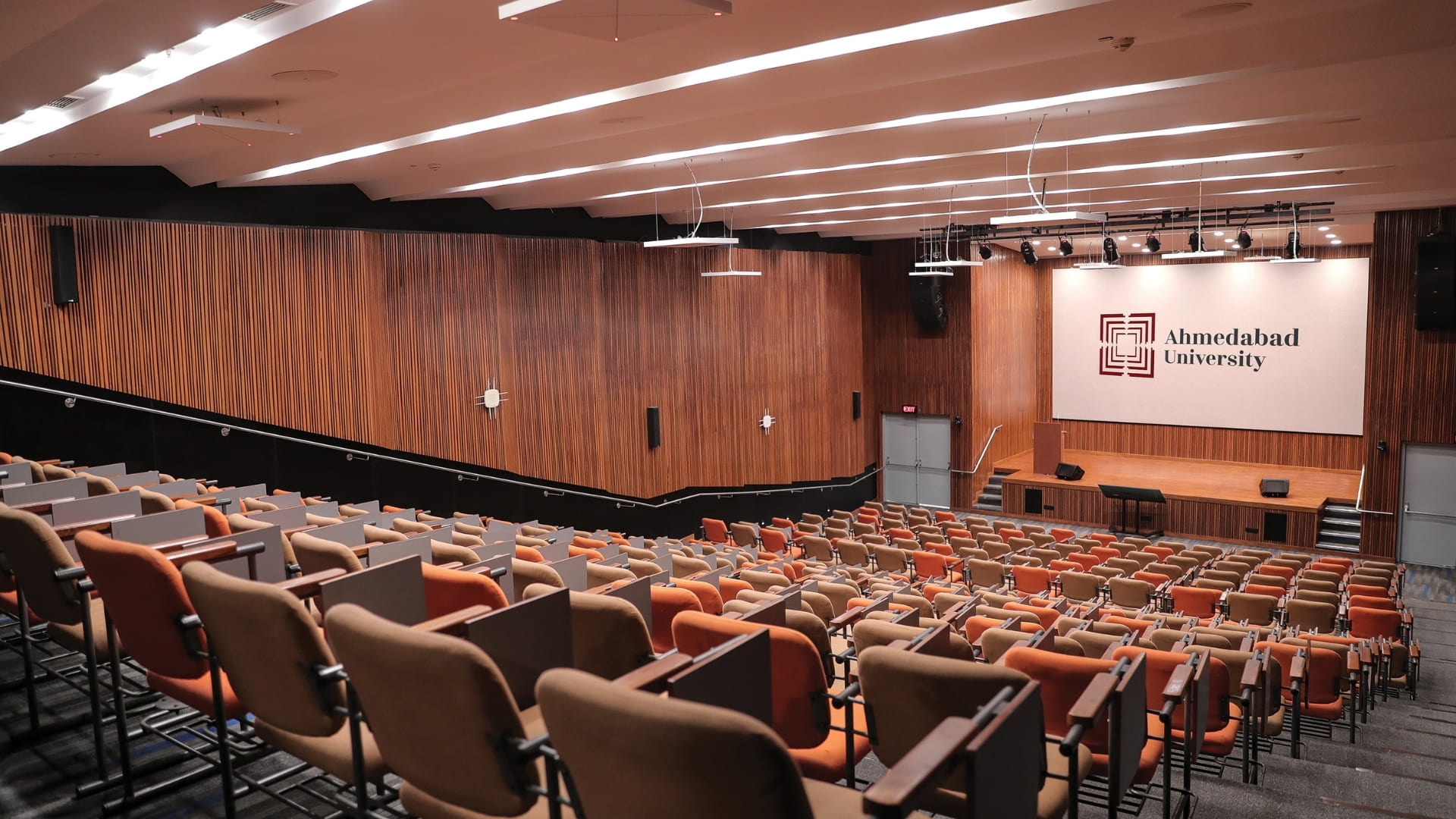
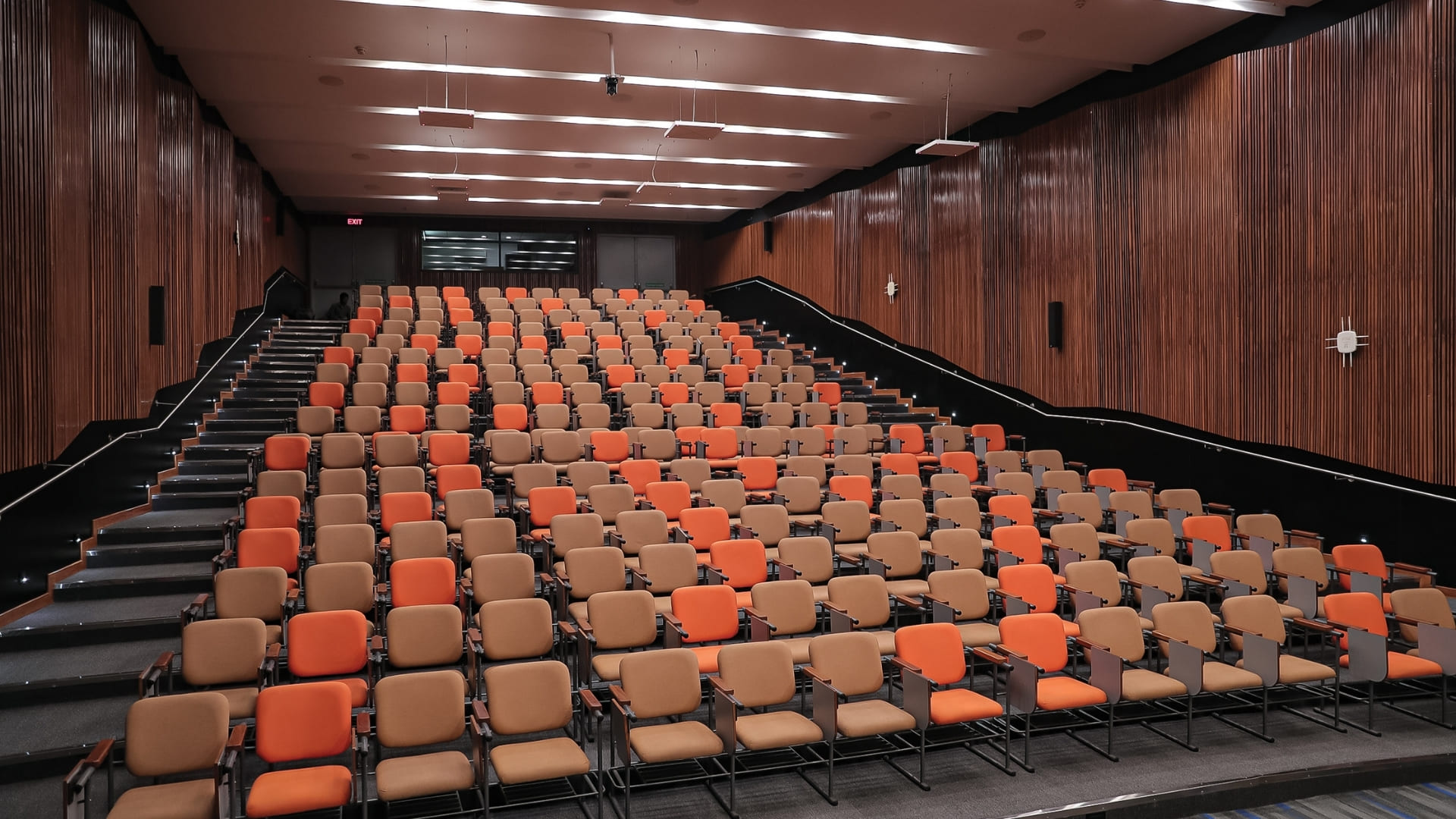
In the 200-seat auditorium, 11 Sennheiser TeamConnect Ceiling 2 (TCC2) beamforming microphones cover the room: two above the stage and nine across the audience seating. The beamformed microphones focus on active speech zones, while a QSC Q-SYS Core 110f processor manages gain, ambient noise rejection, and automatic mic gating.
QSC provides the audio processing and loudspeaker system. Ceiling-suspended QSC KLA12 line-array speakers hang to the left and right of the stage, with KLA181 subwoofers on either side. Four fill speakers on each side of the seating area sit at roughly ear level, with two more at the rear and around 16 QSC in-ceiling speakers distributed throughout the space. On stage, QSC CP8 powered loudspeakers serve as stage monitors and front fills for presenter comfort, while a gooseneck and a lapel microphone are retained as a fallback for conventional, mic-led events.
A smart matrix ensures that microphones and speakers within the same zone never operate in conflicting configurations, preventing echo, feedback and phasing.
Visually, the auditorium is anchored by a Unilumin LED video wall measuring 7,040 x 3,840 mm (23 x 12 ft) with a 2.5 mm pixel pitch, driven by a Novastar H2 video splicing processor. A Samsung 55-in 4K confidence monitor keeps presenters on track, while Crestron AirMedia enables wireless presentation from any device.
Abhimanyu noted that a video wall is not usually the first choice for an educational institution. Yet it proved to be the least of the project’s worries: Actis took the client to see existing installations during evaluation, and the Unilumin wall went in on schedule.
For hybrid sessions, at least four QSC NC-series PTZ cameras, including a ceiling-hung camera at the center of the auditorium that captures the stage and two that capture the audience, are automated by Seervision AI-based tracking. The cameras follow presenters as they move and turn toward audience members as they speak, delivering broadcast-quality output without a dedicated operator. Lectures and events are streamed and recorded simultaneously using an Extron SMP 351 recording processor.
All of this complexity is hidden behind intuitive one-touch presets. A single tap switches the room between lecture, panel discussion (‘Talk show’), and hybrid Q&A modes, each recalling a calibrated combination of microphone groups, speaker zones, PTZ camera focus, and lighting.
Tuning every seat
With the university’s acoustic and AV consultant (M/s Sonics) already handling the acoustic treatment, the wooden panelling in the auditorium conceals fabric absorption behind it. Hence Actis could focus on getting the most out of the room. Actis shared its targets with the consultant early, including ensuring the required gain and no reflections from the rear wall.
“Speaking normally, my voice on an SPL meter will be at about 40 to 45dB, whereas here we wanted to achieve gain of 90dB,” Sachin explained. “And we didn’t want any rebounding from the back. The maximum reflection happens from the back wall of the space, not the sides.”
“Overall, we had to give more attention to the audio aspects of this project, since the video elements were relatively simple. We had to complete all deliveries and installations on schedule,” said Sachin.
The university’s brief demanded near-uniform sound from the first row to the last. Actis set realistic expectations from day one, explaining that no audio system achieves 100% uniformity and that 85 to 90% is the achievable benchmark.
The university’s brief demanded near-uniform sound from the first row to the last. Actis set realistic expectations from day one, explaining that no audio system achieves 100% uniformity.
“If you simulate an audio system, it is likely to help you achieve around 85 to 90% uniformity at best. People closer to the speakers will hear it marginally better, so even if those further away experience, say, 90%, that’s fine,” said Sachin.
To reach it, QSC supported the team with digital simulations that identified the ‘dark patches’ in the room – mostly the gangways and the rear seating. Rather than using digitally steerable speakers, Actis drove each line-array element from a separate channel on an eight-channel QSC amplifier. The top cabinet was aimed at the last row, and the bottom cabinet at the first four rows, with gain levels set individually.
The topmost speaker is generally directed towards the last row, and the bottommost speaker points towards the first four rows,” explained Sachin. “We set the gain a little lower for the speakers closer to the front rows so the sound isn’t overwhelming. But as you go further back, perhaps from the 10th or 20th row onwards, we have to increase the gain. So the top speakers operate closer to 90% of their capacity.”
The most demanding target was voice lift. Ensuring a soft-spoken participant seated more than six meters away could be clearly heard, with minimal latency and no distortion, required careful calibration. Actis’ team spent four to five days fine-tuning the system with spectrum analysers and filters before training faculty and staff.
A different kind of lecture hall
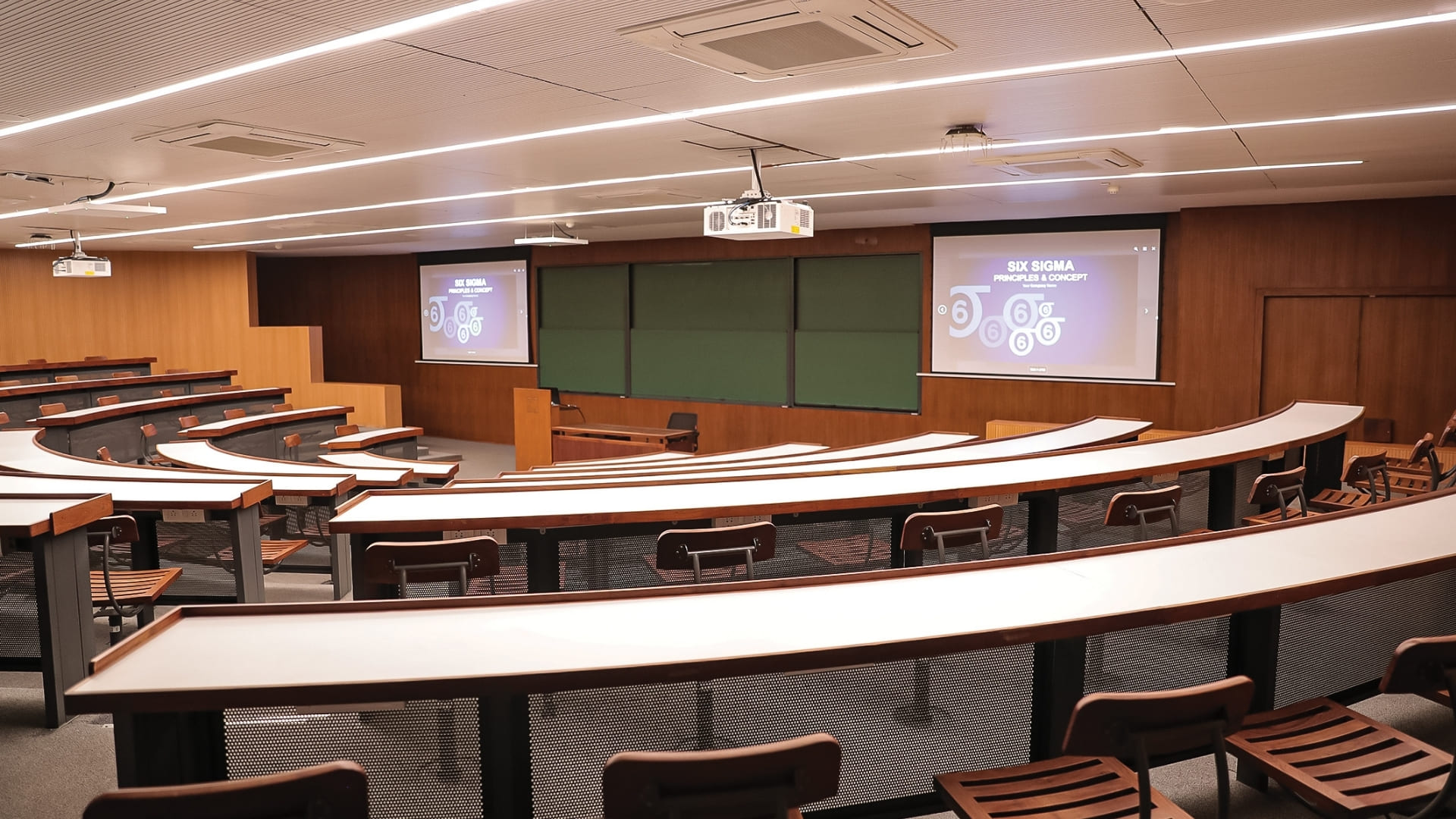
The 100-seat lecture hall uses a semicircular, 180-degree seating layout and is used extensively for the university’s MBA program. Here, the challenge was visual, not acoustic.
“In wider classrooms, if the professor or presenter stands at the center, they block the screen,” said Sachin. “With a 180-degree seating arrangement, to ensure both sides see the screen well, we place two projectors at the extreme left and right, and the presenter can move freely in the center. The viewing angles are very good for everyone.”
The room features dual Panasonic PT-MZ880 WUXGA laser projectors, each rated at 8,000 lumens, projecting onto dual 123-inch motorised screens. Two ceiling-tile microphones and nine in-ceiling speakers handle audio, with a lapel microphone for presenters who move around and an XLR point at the instructor’s desk for a gooseneck microphone. A PTZ camera at the rear records lectures, building an archive library that students can return to if they miss a session. The entire room is controlled via an iPad-based interface.
Campus-wide thinking
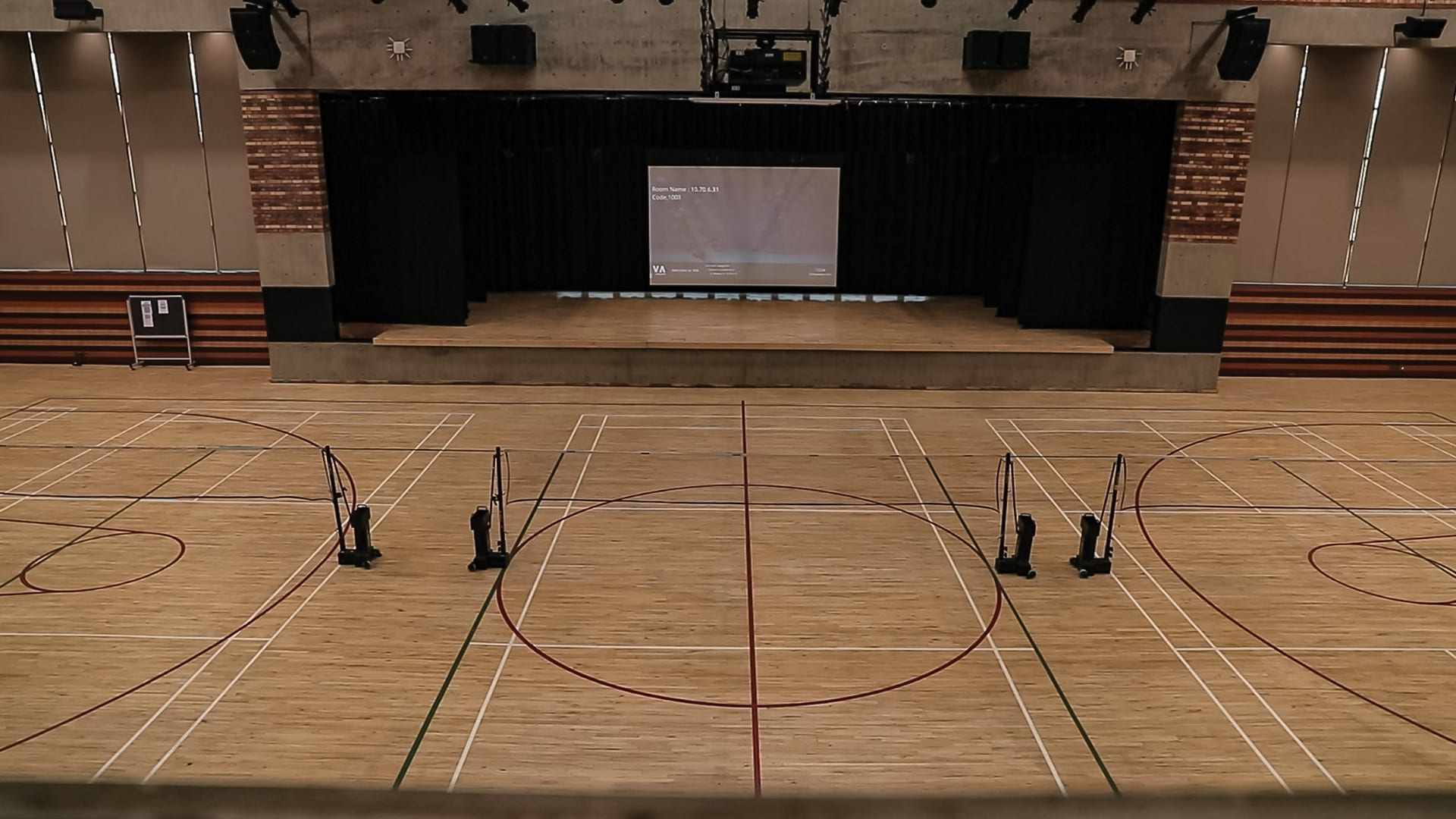
The new spaces sit alongside earlier Actis installations across the campus, most notably the multipurpose hall. Used day-to-day as a basketball court, the space transforms into a 600-seat town hall in as little as 20 to 30 minutes, with motorised bleachers unfolding from a purpose-built wall cavity in just two to three minutes.
The hall hosts town halls twice a month, along with guest lectures, large seminars, annual day celebrations, and cultural events. Its double-height ceiling, taller than the auditorium’s, required QSC pendant speakers to be suspended from the ceiling and cameras to be lowered for eye-to-eye contact without exposing them to stray basketballs. For the same reason, we jointly chose a projector rather than an LED wall for this space. With live events and sporting activities taking place regularly, projection carried less risk of costly accidental damage.
The hall fills a gap the auditorium cannot. “The auditorium is just good enough for 200 people,” said Sachin. “When they have guest speakers or large seminars with an audience of 400 or 500, they use this space.” For college events, the installed speakers and amplifiers are ready to go, while some monitors stay portable because every event is different. The interiors contractor supplied the motorised seating setup, which was extremely unusual in India at the time.
Abhimanyu observed: “What we find really interesting is that the university management has looked beyond individual spaces and asked, ‘Where else can we use AV effectively?’ While institutions often focus on specific rooms or facilities, they’re looking at how AV can benefit the whole campus.”
Learning, uninterrupted
Completed in 2024 after a phased four-month program, the auditorium has now been in daily use for nearly two years. Faculty feedback has been overwhelmingly positive.
“They said: earlier we were focusing too much on our AV technology. Now we just focus on our teaching and speaking,” said Sachin. “We don’t have to worry about where the mic is. We don’t have to worry about the battery. We don’t have to stand in a certain manner at the lectern. We are free.”
The auditorium has become the most popular room on campus, not only among students but also among visiting guests. Because the university spans arts, sciences, commerce, engineering and management, it wants to extend the same experience to students across every faculty. Actis has also been engaged to expand Ahmedabad University’s AV infrastructure since the project’s completion.
For Actis, the project marks a milestone: a completely hands-free AV environment in an Indian educational institution, built not only for the university’s present needs but also to remain future-ready, adaptable, and simple to use for years to come.
Kit list
Audio
- QSC Q-SYS Core 110f processor, NV-21-HU decoder and NV-32-H encoder
- QSC KLA12 line-array speakers and KLA181 subwoofers
- QSC 3in two-way in-ceiling speakers and pendant speakers
- QSC CP8 powered stage monitors and front fills
- QSC power amplifiers
- Sennheiser TeamConnect Ceiling 2 (TCC2) microphones, SL CM gooseneck microphones, and SK bodypack transmitters and base stations
Video
- Unilumin P2.5mm LED video wall (7,040 x 3,840mm)
- Novastar H2 video splicing processor
- Panasonic PT-MZ880 WUXGA laser projectors
- Samsung 55in 4K confidence monitor
- QSC NC-26×60 PTZ cameras
- Seervision SVS12U AI-based camera tracking
- Extron SMP 351 streaming and recording processor
Control
- Crestron AirMedia AM-3100-WF-I wireless presentation system
- iPad-based control interface